Dashboard
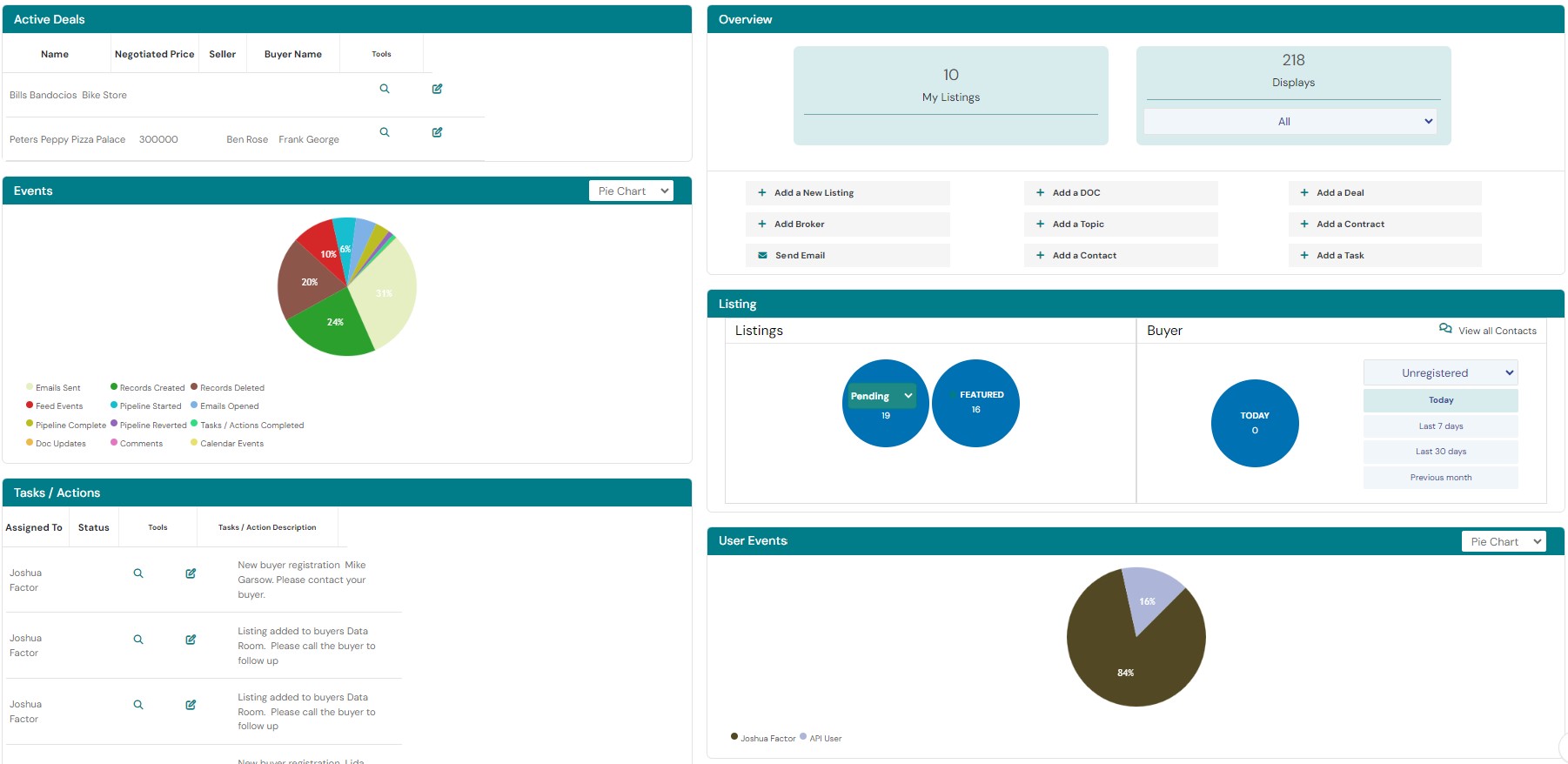
- User friendly interface designed to provide real time date without distractions.
-
Instantly see the newest leads, notifications, reminders, calendar events, check-ins, and much more as soon as you log in.
-
See your entire business and workflow ‘At a Glance’.
-
The Dashboard is fully customizable for each user. On the dashboard, you have access to an array of default and custom widgets. It is your view into different data tables within the overall platform and can be personalized with each user in your organization.
-
Easily change or reorganize your widgets to cater best towards your business methodology.
-
The activity feed logs all actions within the CRM and from your website. Every action, button click, email sent/received, address added to data room, requested or released, records updated or created and many more.
-
Instantly see which listings are displayed on the website with a listing display counter.
-
Aggregate buyer leads based on day, week, month and last month based on sales stage.
-
View listings based on sales stage in a user friendly high level chart.
Contact Management
-
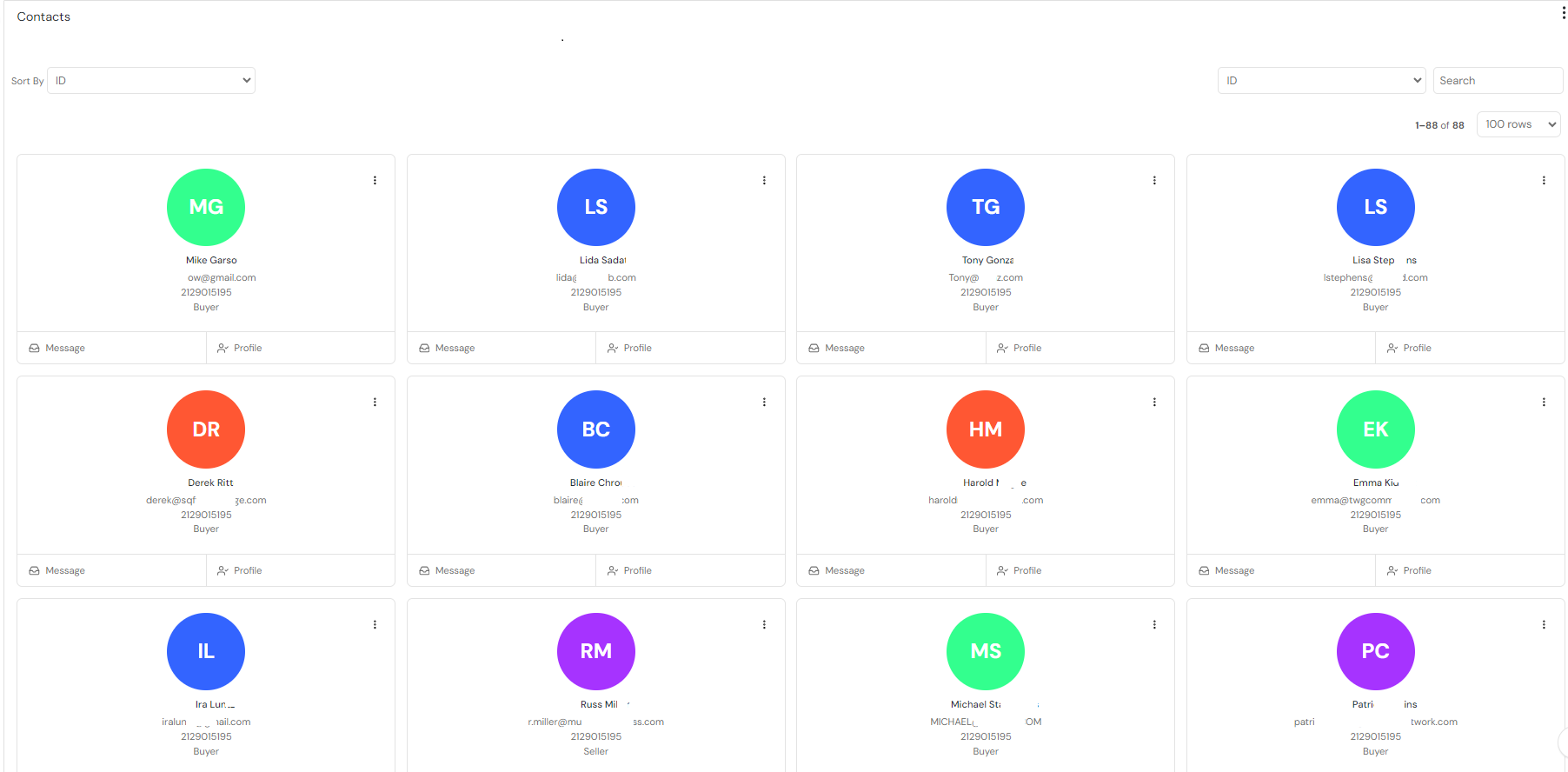
Combine all module features into one location to efficiently manage each contact (Buyers/sellers/etc).
-
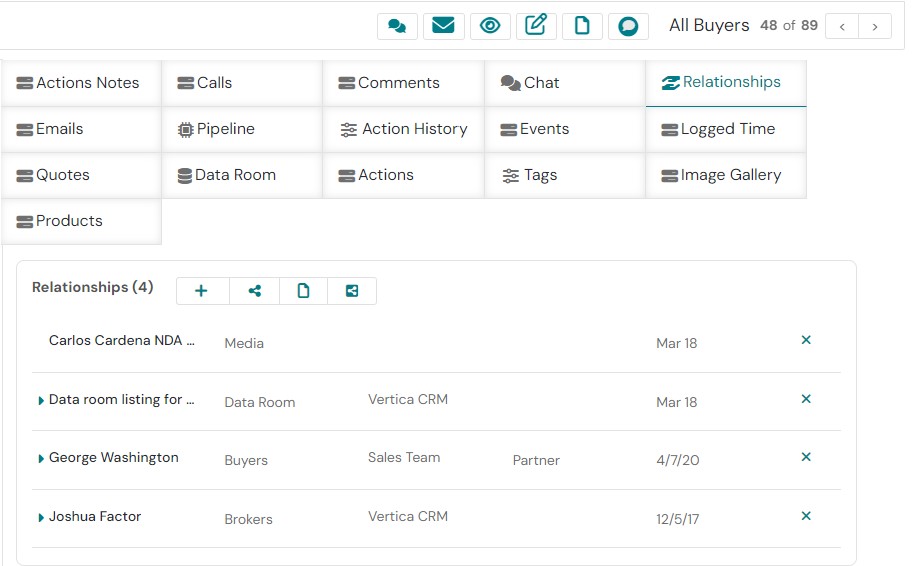
Manage relationships between all related partners, documents, associated inquiries, files and records.
-
View all email sent/received from all team members and the specific contact.
-
Sync each users Outlook contacts within the CRM.
-
Manage everything that a Buyer has access to within their data room.
-
Control the sales process stage for each contact according to your custom business methodology.
-
Create appointments that are saved on the integrated calendar and sync with Outlook or Gmail calendar.
-
Create actions for future follow-up and appointments.
-
Log time and calls.
-
Generate relationship report that shows all of the buyers inquiries, associated documents, partners, notes etc.
-
Communicate efficiently with your contacts by integrating your email. Automatically log sent emails, keep track of interactions, and use personalized email templates to save you time.
-
See a real-time snapshot of all notes, actions, workflows, and emails that are sent/received/read/opened/unopened.
Exclusionary Filtering 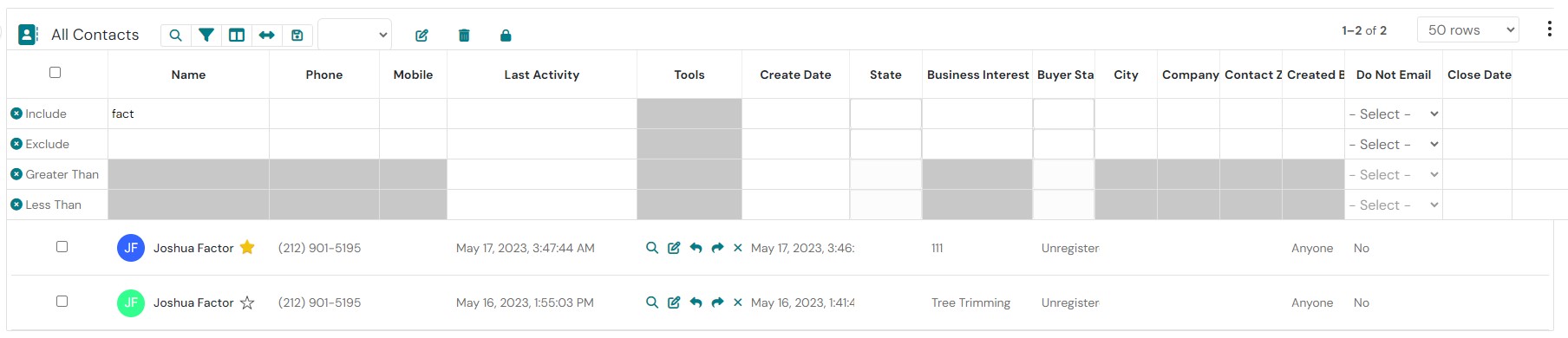
Exclusionary filtering is a crucial technique in CRM systems that allows you to refine search results by excluding irrelevant data. For business brokers, this means identifying potential deals and buyers that meet specific criteria. By using negative filtering, you can:
- Target specific niches: Focus on industries or business types that align with your expertise.
- Avoid conflicts of interest: Exclude buyers or sellers who might have competing interests.
- Identify unrepresented businesses: Discover businesses that aren’t currently being represented by other brokers.
- Streamline your workflow: Quickly find relevant deals and buyers, saving time and effort.
By effectively leveraging exclusionary filtering and other powerful features offered by Vertica CRM, you can enhance your deal sourcing process, close more deals, and achieve greater success in your business brokerage career.
Learn More about Exclusionary Filtering
Integrated Email
-
Send automated email with our comprehensive workflow automation that can be adapted to any sales process scenario.
-
Integrate your inbox for your existing email account into the CRM and take advantage of our built-in templates for basic redundant emails or marketing emails right from your inbox.
-
Integrated marketing campaigns in the CRM. Create static or our unique very powerful Dynamic marketing campaigns without ever leaving the CRM.
-
Drip Campaigns are customized any way you need with unlimited variables.
-
Built in Customer specific inbox directly on the contact record so all CRM users can send/receive emails and see all emails sent and received from the contact on the contact record.
-
Send, reply, reply to all, forward emails directly to emails from the Contact record without needing to access your inbox separately.
-
Track/record your email communications within the CRM regardless of if you sent the email from Outlook/Gmail, 3rd party application or your smartphone.
-
Clearly identify existing contact records with highlighted and prioritized emails.
-
Email counter that tracks all the sent, received, and opened emails to enable you to spot activity with each contact. This counter tracks notes, emails, calls, actions, and appointments made in the integrated calendar.
Listing Manager
-
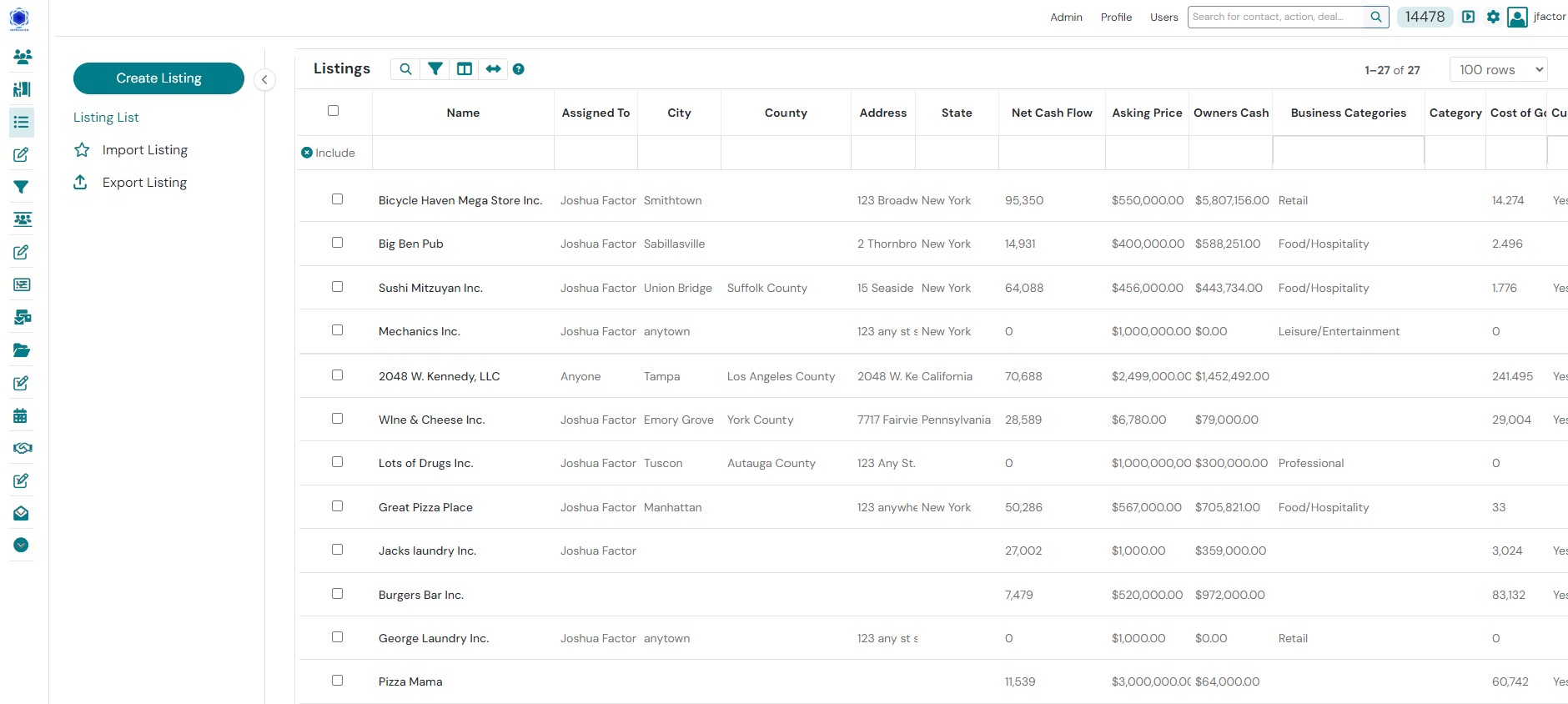
Manage your listings from 1 location. Control your listing activity and public appearance on your website with the click of a button.
-
Create a listing specific photo gallery by associating pictures to your listings and show all public data simply by setting the listing profile in the CRM.
-
Collaborate with internal or external co-brokers and ensure optimum exposure with each listing.
-
View the time and date of all buyers who viewed that listing and generate a report for the seller regarding buyer activity from that listing.
-
Get real-time info on buyer inquiries, when a listing is added to a buyers’ data room and when a listing address is released to a buyer.
-
Upload files to each listing-specific Data Room to share with your registered buyers.
-
Upload your listings to participating Business For Sale marketing sites.
Calendar
-
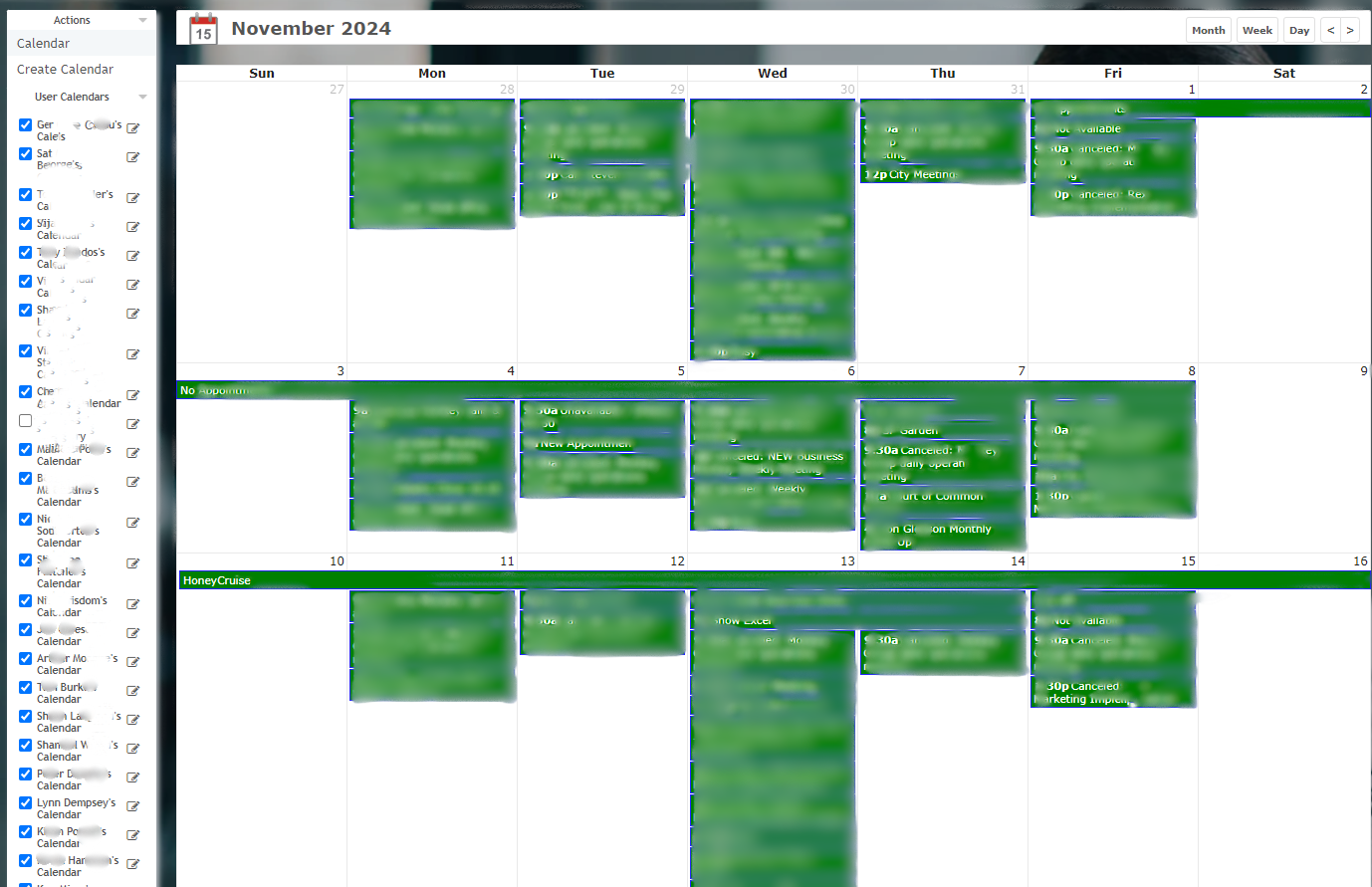
The integrated calendar syncs with your Office 365, Exchange or Google calendar.
-
Make appointments by a contact record and dynamically save it on your online calendar and invite meeting participants within the contact record and the calendar.
-
Automate calendar events using our workflow and increasing productivity.
-
Associate events with contacts, accounts, or any other record type.
-
Color code your events using the customizable color selector, complete with significance legend.
Workflow
-
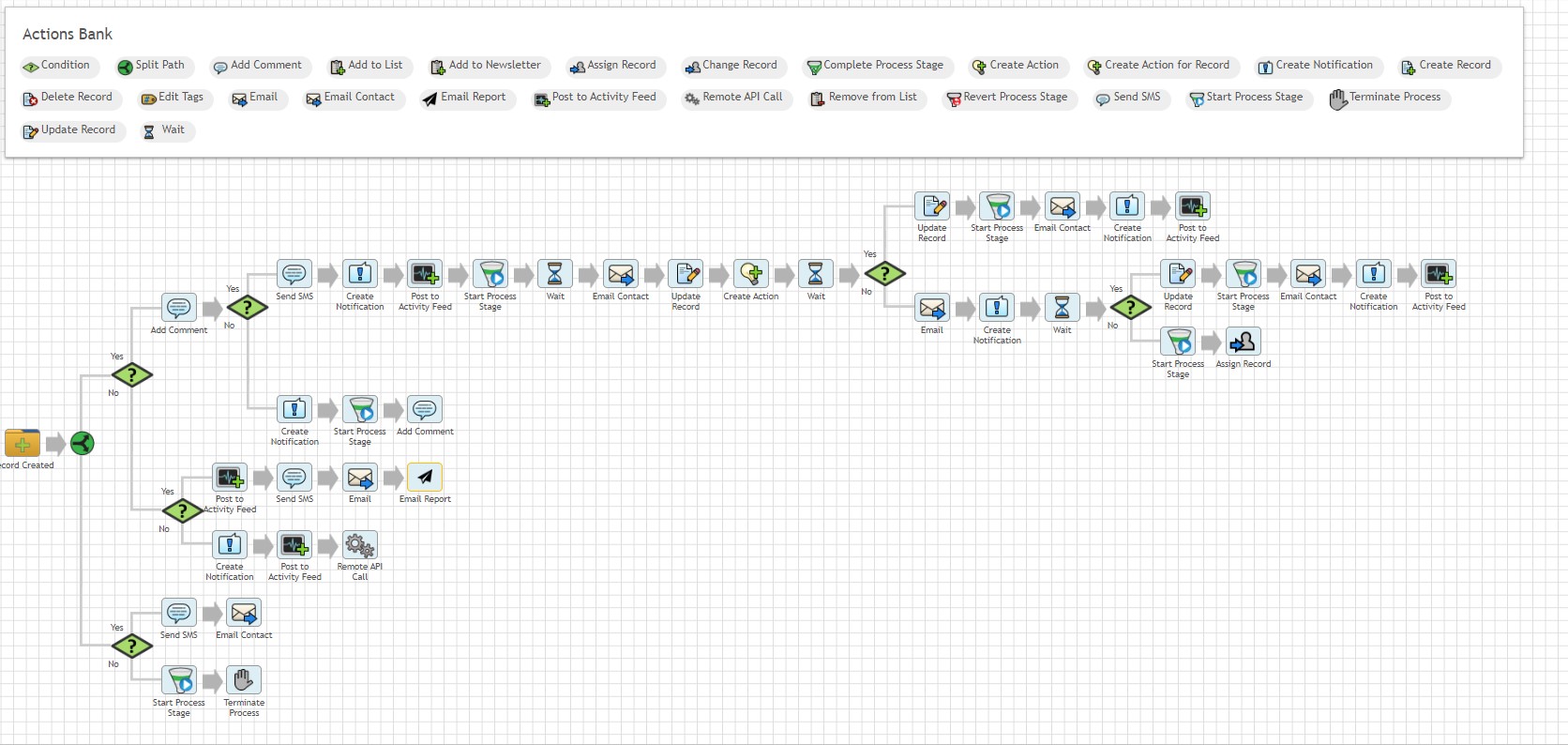
Automate any business procedure like buyer inquiries, seller communication, broker notifications, the way you want.
-
Create sophisticated workflows incorporating a variety of actions and conditions. Drop-down menus and drag & drop capabilities are used to establish triggers, along with associated conditions which must be met before any workflow is executed.
-
Enable your team to work on your primary focus and let the system do everything else for you by setting flow actions that will be automatically performed based on preset triggers.
-
Trigger pop-up notifications, emails, SMS notifications, and actions by adding tags, updating data fields or even incoming emails from priority contacts.
-
Integrate the Workflow with all other modules within the system based on the triggers.
Document Storage
-
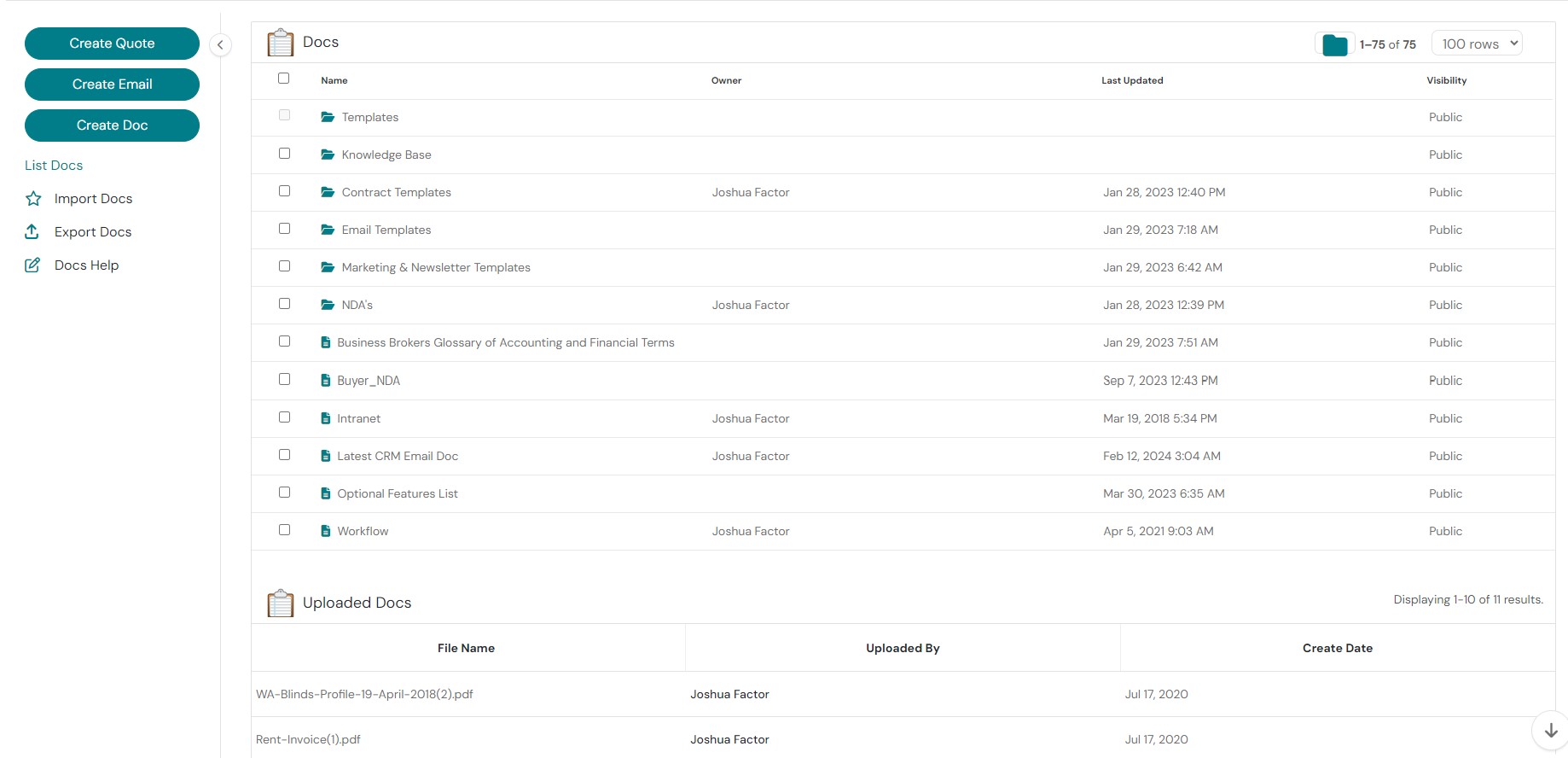
Store dynamic documents for any business purpose and integrate them with your email marketing campaigns, emails, NDA’s or any document.
-
Use the rich text editor to create, modify or save documents.
-
Create tags or dynamic variables in the documents so that when they are sent to a contact, the tags will automatically be populated with the relevant information.
-
Easily upload and download any documents or files for business use.
-
Store documents with public permissions so all brokers/users can access them or they can be stored with individual broker permissions so that only the document owner can access them.
-
We provide you with a rich text editing tool and document management system where you can create generic documents, email templates, agreements, profiles, PDF’s, pictures, as well as upload any other type of file you might want.
-
Store and filter files including PDFs, pictures,, spreadsheets, or any type of file.
-
Associate files with any type of CRM record such as buyers, listings or deals.
Relationship Management 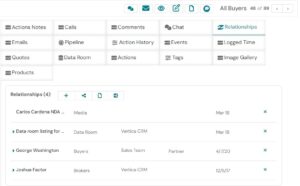
-
Our unique relationship manager connects any type of record with any other type of record. Connect two partners or associate an NDA automatically with a new buyer record.
-
View listing inquiries in real time as they happen.
-
View a heat map of the buyers listing inquiries in a graphical interface.
-
Each client’s record includes details on contact info, social media, associated processes, relationships, a complete interaction history for the contact, and more.
-
View logged calls & emails, schedule a calendar event, or assign an action related to the contact.
Reporting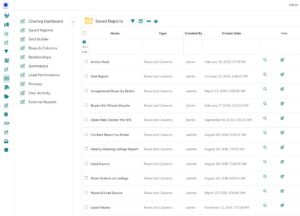
-
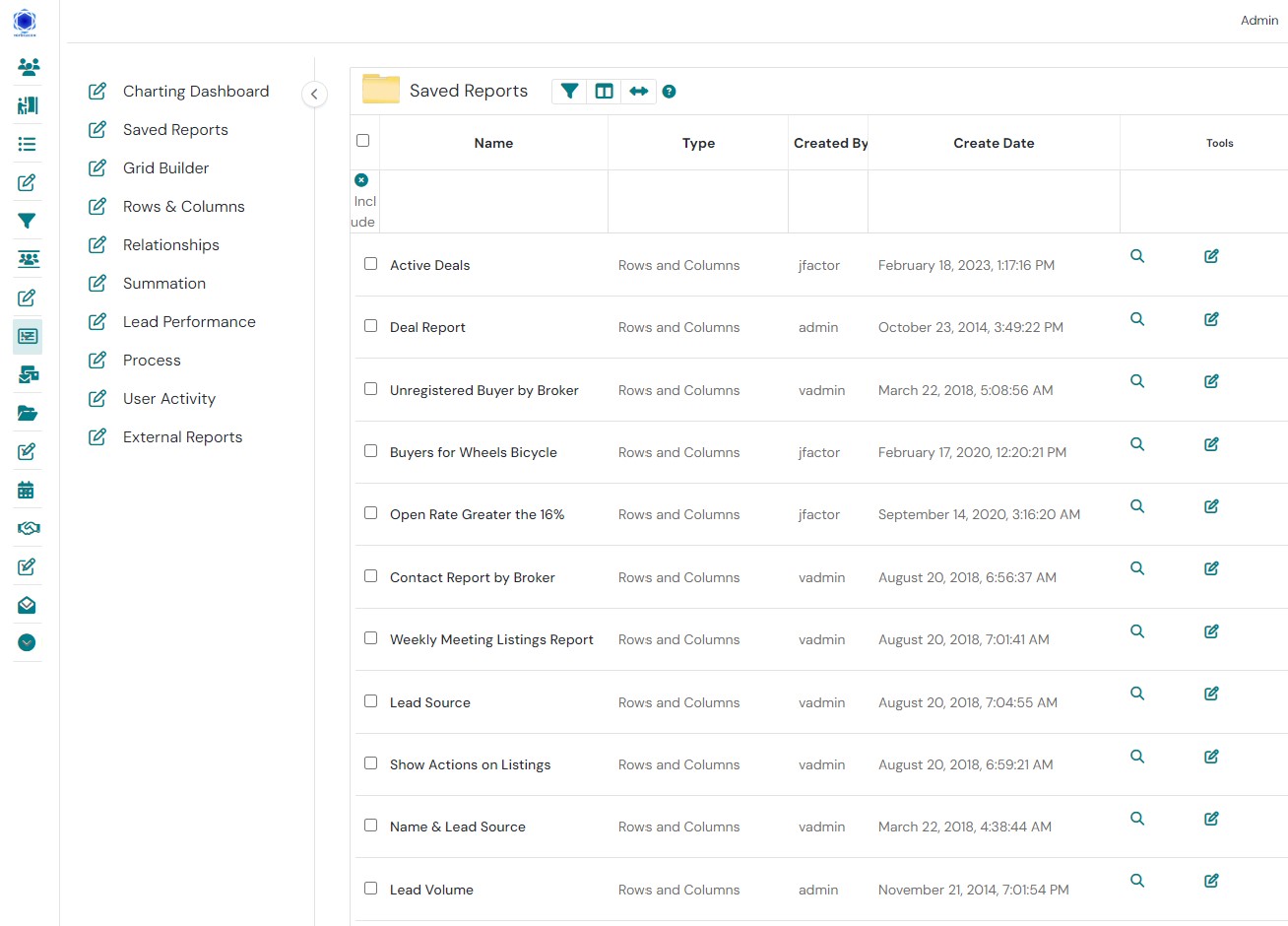
Compare & contrast any fields with any other multiple fields to create complex reports for real-time reporting of any information obtained from the Data Room, stored within the CRM or buyer activity on the website such as adding listings, receiving confidential information, buyer requests, listing inquiries, emails sent or received, marketing campaigns’ success, and any unlimited combinations of data.
-
With simple drop-down menus users can create a variety of different reports for campaign performance, lead performance, user activity, service cases, etc., or they can create and save custom reports. The visual, easy-to-read charts allow users to easily examine data from different perspectives, and quickly spot trends, issues, and opportunities.
-
Create duplicate-able report templates for use with multiple listings on the fly.
-
Track Lead performances
-
Track internal user activities
-
Manage and track custom sales processes and stages.
-
Generate custom reports with our Rows & Columns tool
-
Summation Reports
Lead Parser
-
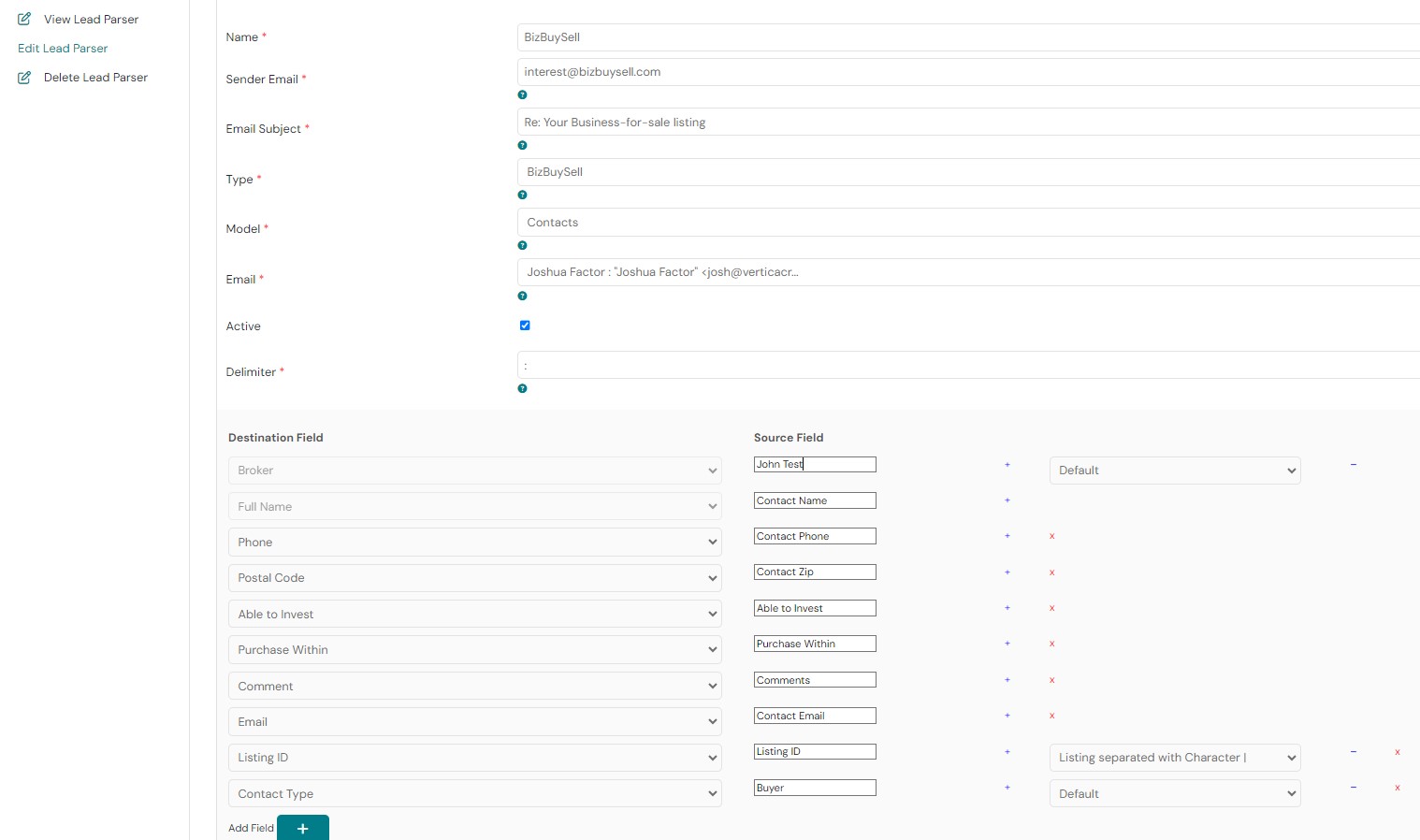
Dynamically create new buyer inquiries from 3rd party listing marketing sites without any human intervention.
-
Create comprehensive automation that will walk the buyer through the registration process.
-
Differentiate between existing buyers who have previously inquired about a different opportunity, brand-new buyers, and buyers who make general inquiries without a listing association and create automation based on any of the three above conditions.
-
Track and log all buyer inquiries.
-
Optionally assign all leads based on listing broker or round robin.
Document Signing Tool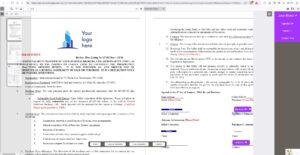
-
Send out contracts to signatories with the press of a button within your CRM.
-
Use our unique document storage application to keep tabs on all agreements sent out by your organization.
-
Eliminate manual tasks and increase convenience for your clients and team members.
-
Enhance customer and employee experiences with Drag & Drop electronic signature fields into PDF’s, Word Docs, quotes, invoices, any any contract.
-
Assign roles to multiple signatories, and easily collect the completed contracts in your CRM or external database.
-
Send out your agreements to the signatories with a magic link.
-
Choose any document from your CRM or upload it directly from any device.
-
Designate the Signatories with an intelligent drop-down.
-
The signatory can sign on any device or OS.
-
After the signature is complete, your documents are stored in your CRM and associated with the Contact record.
-
Profile your buyers/sellers/contacts. When the document recipient completes the dynamic fields, it will update the corresponding field in the contact record in the CRM. This will assist you with profiling your buyers or sellers without them even logging into your website or you completing the form in the CRM.
Data Room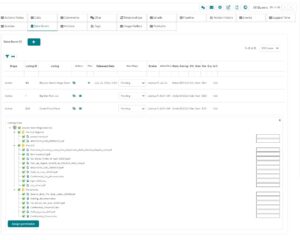
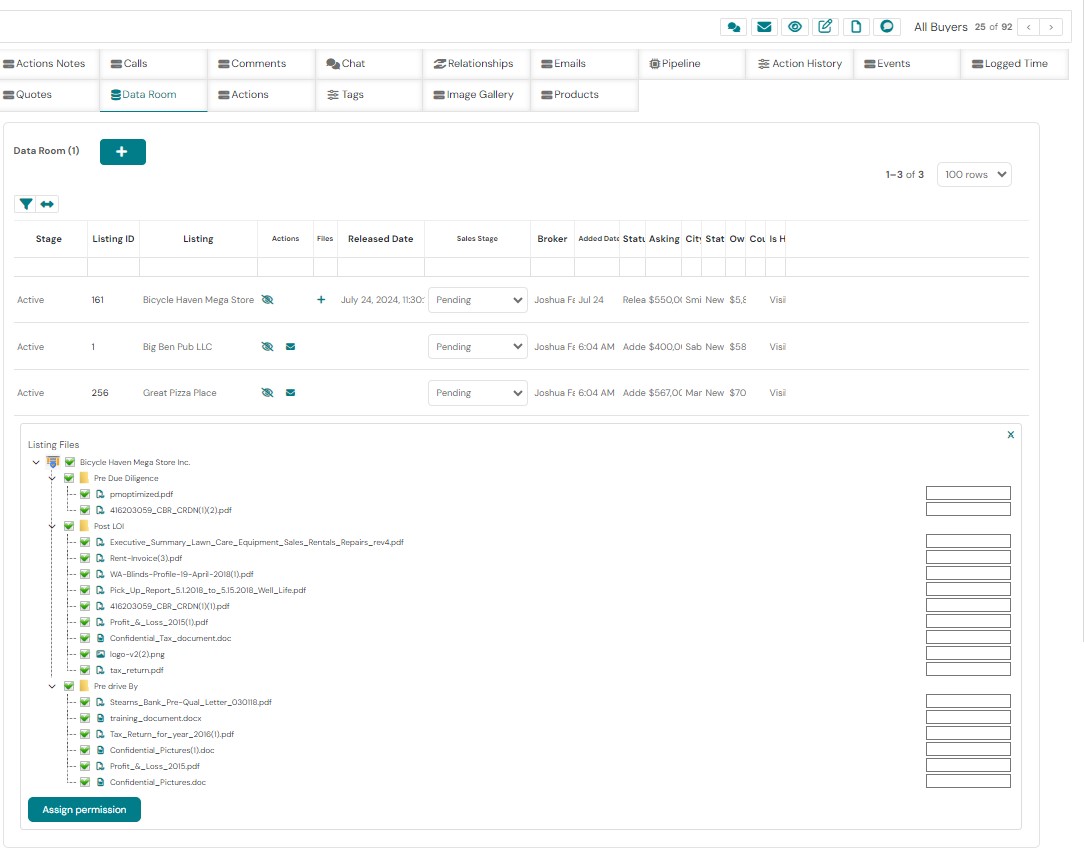
-
Arrange data files in a Windows Explorer like directory structure. Upload files, rename files/folders, drag & Drop files/folders.
-
Share confidential data securely with our integrated data room.
-
Hide, add, and release data with a click of a button.
-
Enable buyers to download files from their private virtual data room by securely logging into your website.
-
Each page of each data room document has a security watermark identifying the buyer name, listing name, date and time stamp and recording the buyers’ IP address.
-
Sort the files with a Windows Explorer-like interface. Drag and drop files from folder to folder to set up the structure of how the buyer will view the files when they are logged into your website.
-
Assign permissions for each individual file to customize the buyer experience.
-
Upload folders and sub-folders into set directory structure with unlimited files at once.
-
Set each file to expire from the buyer’s data room with added security for the seller and filtering buyers who are time wasters.
-
Set default files to be automatically released to the buyer with default folders predesignated for your listings.
-
Choose which listings will have automatically release files and which listings must have the fiels manually set.
CIM Building
-
Integrated into our Data room is the CIM which provides brokers with a dynamic and efficient solution for creating Confidential Information Memorandums (CIMs). This tool allows brokers to seamlessly generate the CIM for each listing using HTML, incorporating field data from listing records and images loaded into the CRM. The result is a unique CIM for each business listing, captivating potential buyers and enhancing engagement. Brokers can showcase the unique aspects of every business while significantly reducing the time and cost typically spent on document creation. Our integrated CIM empowers brokers to elevate their communication beyond traditional emails with a CIM design that is customized each time you release confidential information.
Actions
-
Allow users to view their tasks, activities, and to-do lists, as well as actions made public by colleagues.
-
Manually or automatically create tasks/Actions for CRM users.
-
View actions specific to each contact directly on the contacts profile or within the integrated Actions module.
-
View, sort and filter actions based on fields including expiry date, subject, date or status.
-
View all actions, ‘My actions”, Today’s Actions, Everyone’s actions.
-
Create automation’s with our workflow technology to create reminders, follow-up notifications, and send emails.
-
Send email reminders for CRM users to complete the tasks.
Deals
-
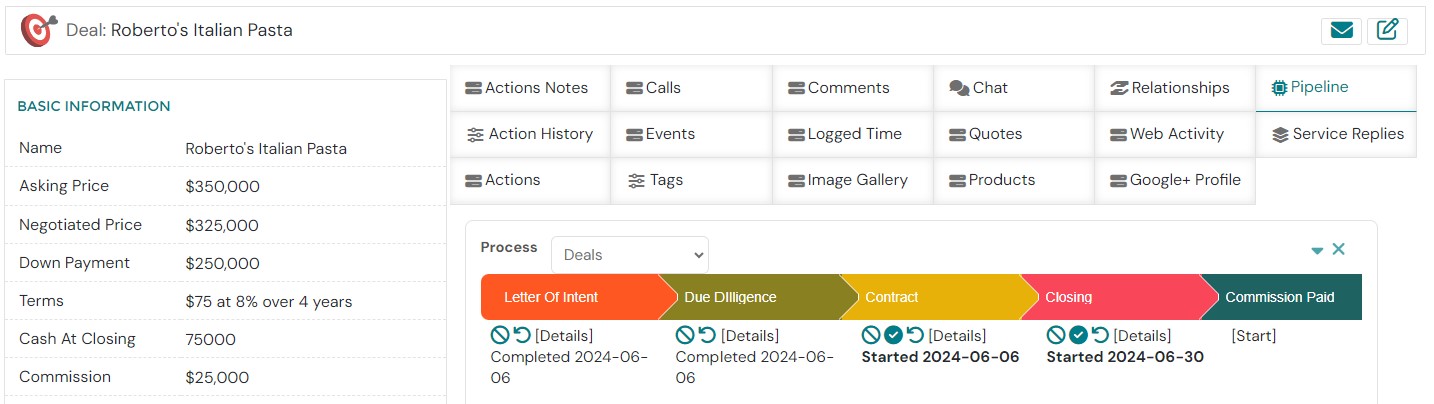
Create deal records automatically once an offer is consummated and automatically pull the buyer, seller, listing, and deal information with the press of one button.
-
Track the deal process in real time and collaborate with team members so that all parties can be on the same page and up to date with the latest information.
Pipeline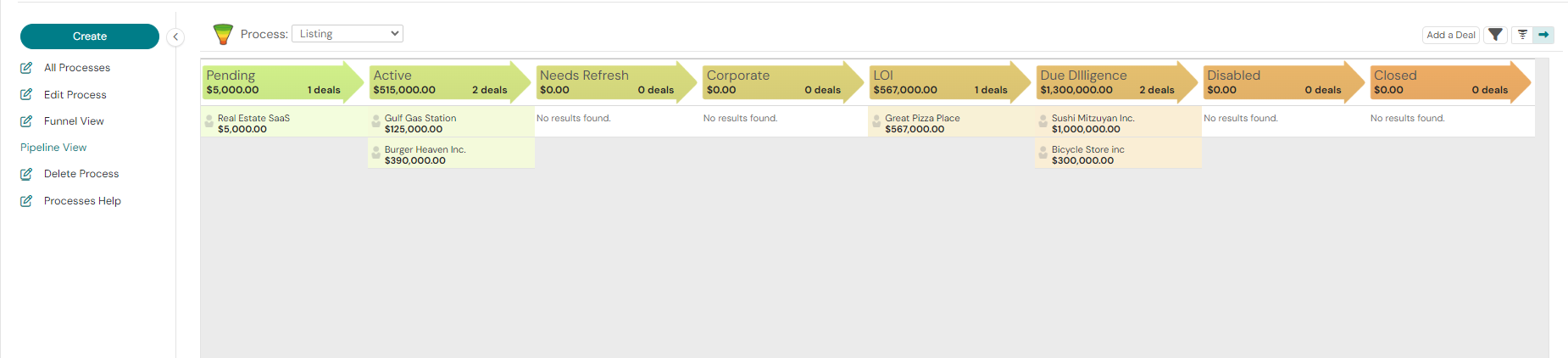
-
View all business sales stages and sales processes from a ‘birds eye view’ with the Pipeline and project management tools.
-
Change sales stages for buyers, sellers, listings, deals, valuations and other records or processes.
-
Create custom process reports directly from the process tools.
-
Design automation’s that are triggered based on process stages.
Topics
-
Topics is an internal place to create a forum for discussions. It’s the perfect platform for users to chat and answer internal questions and save them for posterity.
-
Display the topic name, creator, creation date and how many replies it has.
-
Post comments for each topic from multiple users and record internal company information for future use.
Marketing
-
Create powerful marketing campaigns with our integrated tool. Since it is integrated with the CRM it is exponentially more powerful than regular email marketing services.
-
Combine conditions such as listing names, date of inquiry, address releases date ranges for listings, buyers, sellers, or data room fields to create the most powerful email marketing campaigns for business brokers in existence.
-
Track when an email recipient opens an email or clicks on a link within the email and use that as a trigger to start an automation sequence.
-
Schedule the campaign launch date.
-
Throttle the interval of sending emails to prevent email accounts from being blocked or flagged as “Spam”.
-
Use an existing template from our library of email and marketing templates or create your own with the Documents module.
-
Track open rates, click rates, unsubscribe rates and activity and then use our reporting modules to tweak future email campaigns for optimal success rates.
-
Create Drip email campaigns and action them with a Contact record checkbox.
Dynamic Listing Marketing
- Dynamic Listing Lists: Brokers can group listings based on criteria such as industry, price range, and location to target specific buyer demographics.
- Automated Email Campaigns: Automatically populate email templates with key listing details, including images. This personalization increases engagement and open rates.
- Generate Professional Marketing Materials: Create brochures and flyers in seconds, directly from within the platform.
Integrated Website Features
Featured listings bar
-
Showcase priority listings on the website by checking a checkbox on the listings page. Add as few or as many listings to this section.
Buyer profile
-
Enable the buyer to fill out a series of fields that correspond with a field in the contact record. When the buyer completes the form, it will update the contact record in the CRM. This is very useful when working with the integrated marketing tool as fields are updated based on the buyer’s needs.
Business for Sale Search
-
Search the listings stored in your Listings module based on any field that you set. The search tool will filter categories, regions, prices, keywords or any combination of existing listing profile fields.
Listings Showcase & Buyer Data Room
-
Activate your listings in the CRM by clicking one button and having them advertised on your website without redundantly adding the information on the website.
-
Customize Your listing profile as you dictate on multiple levels including for unregistered buyers, registered buyers, logged-in buyers, buyers with listings added to the data room, addresses released to the buyer and fields.
-
Release addresses for each listing and customize the buyer experience when they are interacting with you.
-
Enable your buyers to interact with their broker through a “Request’ button that will send a message to the appropriate broker via email, Pop-Up, activity feed message or automatically creating a task for the broker.
-
Present the files with a folder directory structure as set in the CRM contact record.
Buyer Registration & NDA with digital signature
-
Buyers can register based on a listing on your website by filling out a web form and signing a pdf document with a digital signature and then saved in your CRM associated with a new buyer record.
-
Send a copy of the NDA to the registered buyer via email automatically upon completion.
-
Automatically add the listings that the buyer requested into the buyer data room and send notifications to the broker and buyer.
-
Fully direct the buyer according to your methodology to complete the registration process.
Contact Form, Careers Form, Sellers Form
-
Place a form on any page on your website that will feed into your CRM as a specific contact type for sellers, evaluation, contact form, careers form, etc.
-
Once the new contact record is created in the CRM enabling that to trigger any type of notification.
Brokers Page and profile
-
Showcase your team members with their contact information, biography and public information that you would like to share about the broker based on completing a broker profile record in the CRM.
-
Present all the listings are listed by each broker on the broker’s page.