Choosing a CRM
Best CRM for Business Brokers in 2026: Purpose-Built vs. General CRMs (HubSpot, Salesforce, Pipedrive and Vertica Compared)
Every CRM says it can handle your brokerage. The real questions are how much of a broker's work it does out of the box, how much you'll have to build yourself, and whether it can fit the way your firm actually works. Here's an honest comparison, including when a general CRM is the better choice.
Quick answer
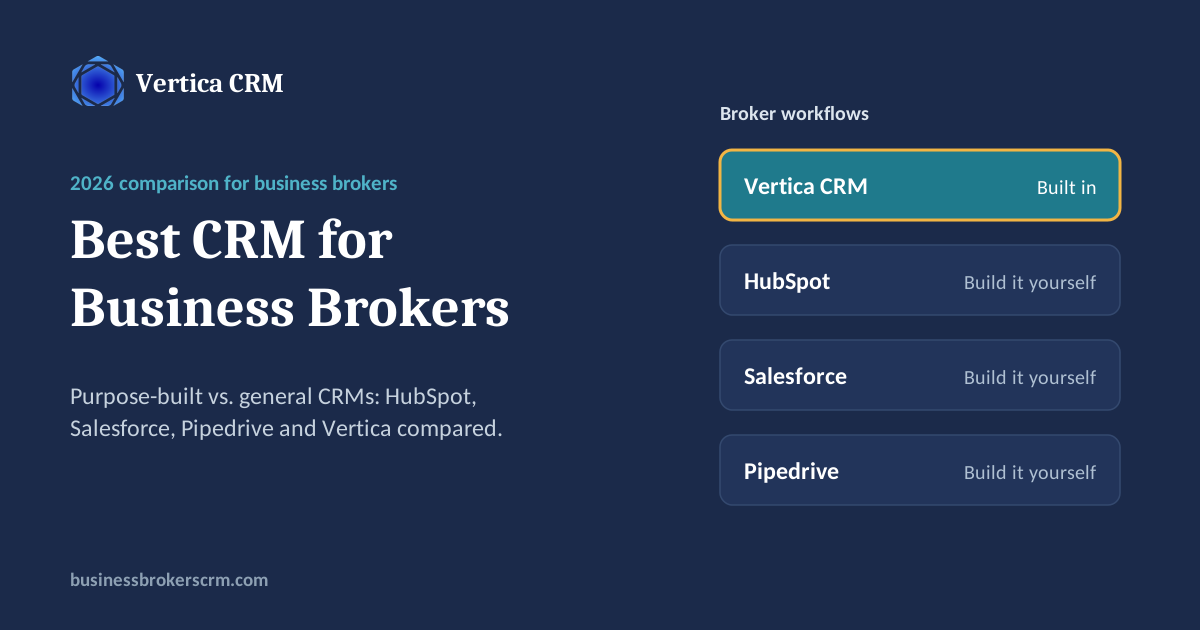
Business brokers have three kinds of CRM to choose from. General CRMs such as HubSpot, Salesforce and Pipedrive are flexible, but brokers have to build NDA gating, CIMs, buyer matching, data rooms and seller nurture themselves, often with add-ons or consultants. Out-of-the-box broker CRMs come with a standard industry setup that every firm shares. Vertica CRM combines both: a full-featured CRM with broker workflows built in, configured by Vertica's team around each firm's own process, with marketplace lead parsing, NDA and buyer registration, an AI CIM generator, data rooms, VerticaSign e-signatures and email and SMS campaigns in one system.
Full disclosure
I'm the founder of Vertica CRM, so I'm not neutral. I've tried to make this comparison useful anyway: the competitor information comes from their own websites and published pricing as of October 2026, and I've included the cases where I think you'd be better off with something other than Vertica.
What a business broker CRM has to handle
A general CRM is built around one kind of sale: a company sells a product to a customer. Business brokerage doesn't work that way. You represent sellers, market confidential listings to many buyers at once, and keep both sides moving toward a single closing. A CRM for brokers needs to handle:
- Two sides of every deal. Sellers and buyers, each with their own pipeline, linked to the same listing.
- Confidentiality. Buyers sign an NDA, and sometimes get approved, before they see the business name or financials. (NDA and buyer registration in Vertica.)
- Marketplace leads. Inquiries from listing sites arrive as emails and need to become contacts automatically. (How lead parsing works.)
- Listing marketing. Teasers, CIMs and brochures, plus matching new listings to the right buyers. (Vertica's AI CIM generator.)
- Documents and data rooms. Controlled access to financials during due diligence. (The data room advantage.)
- E-signatures. NDAs, engagement agreements and LOIs, ideally sent straight from the contact record. (VerticaSign.)
- Long seller timelines. Owners who say “not yet” need nurturing for months or years. (More in where your next listing comes from.)
Every CRM in this comparison can be made to do most of this. The difference is whether it's there on day one or something you build.
Side-by-side comparison
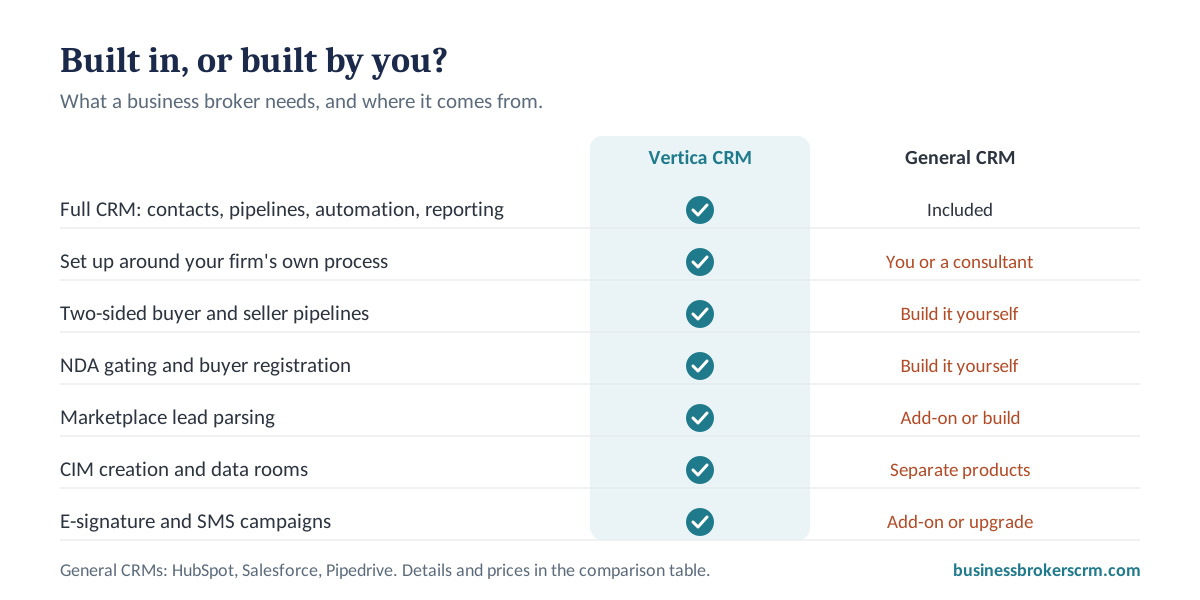
Here's how the four compare on what brokers actually need. All four are full-featured CRMs. The difference is that in Vertica, broker workflows are built in and set up around your process; in the general CRMs, you build them.
| Vertica CRM | HubSpot Sales Hub | Salesforce Sales Cloud | Pipedrive | |
|---|---|---|---|---|
| Built for | Business brokers and M&A advisors only | Sales and marketing teams in any industry | Sales teams of any size, any industry | Small and mid-sized sales teams |
| Core CRM (contacts, pipelines, tasks, automation, email, reporting) | Full-featured | Full-featured | Full-featured | Full-featured |
| Broker workflows (NDA gating, buyer and seller pipelines, listings) | Built in | Build yourself with custom properties, pipelines and workflows | Build yourself or with a consultant | Build yourself with custom pipelines |
| Fitted to your firm's own process | Configured by Vertica's team around your methodology | You or a consultant configure it | You or a consultant configure it | You configure it |
| Marketplace lead parsing | Built in | Not built in | Not built in | Not built in |
| CIM creation | Built-in AI CIM generator | Not included | Not included | Not included |
| Data rooms | Built in | Not included | Not included | Not included |
| E-signature | VerticaSign, built in | Varies by plan | Varies by edition or add-on | Premium plan and above, or Smart Docs add-on |
| Email and SMS campaigns | Built in, with open and click tracking | Marketing tools; full campaigns in Marketing Hub | Separate products and add-ons | Campaigns add-on |
| Published price (per user, per month, billed annually) | From $99, with lower per-user pricing as your team grows | Starter $9; Professional $90 (+$1,500 onboarding); Enterprise $150 (+$3,500 onboarding) | Starter Suite $25; Pro Suite $100; Enterprise about $175; Unlimited about $350 | Lite $14; Growth $39; Premium $59; Ultimate $79 |
| Best fit | Brokerages that want broker workflows built in and fitted to how they work | Firms already invested in HubSpot marketing, or with in-house admin skills | Large firms with a dedicated Salesforce admin or consultant budget | Small teams that want a simple visual pipeline and will build broker steps themselves |
Prices are the vendors' published list prices as of October 16, 2026, before add-ons. Sources: HubSpot, Salesforce list prices, Pipedrive. Check each vendor's site for current pricing.
HubSpot, Salesforce and Pipedrive: strengths and gaps for brokers
HubSpot Sales Hub
HubSpot is easy to start with, has a free tier, and its marketing tools are strong. For brokers, the gaps are the broker-specific pieces: NDA gating, listing management, buyer matching and data rooms all have to be built from custom properties and workflows or added through other tools. Costs also climb quickly at the Professional tier and above, which carry one-time onboarding fees.
Salesforce Sales Cloud
Salesforce can be shaped into almost anything, which is why large firms use it. That flexibility is also the cost: a brokerage setup usually needs a Salesforce administrator or an implementation partner, and the features that make it powerful sit in the higher editions. For a small or mid-sized brokerage, the time and consulting cost often outweigh the benefit.
Pipedrive
Pipedrive is simple, visual and affordable, and its pipelines are easy to customize. It's a reasonable starting point for a small team that doesn't mind building its own broker workflows. What's missing for brokers is the confidential deal process: NDA gating, listing marketing, CIMs and data rooms aren't part of the product, and features such as e-signature and lead routing sit in higher plans or add-ons.
Three kinds of CRM for brokers, and where Vertica fits
Most comparisons stop at "general CRM vs. broker CRM." In practice there are three kinds:
1. General CRMs
HubSpot, Salesforce, Zoho and Pipedrive. Full-featured and flexible, but every broker workflow is yours to build, maintain and pay for.
2. Out-of-the-box broker CRMs
Built for the industry with a standard setup that every firm shares. Quick to start, but if your process differs from the standard, you adapt to the software.
3. A broker CRM fitted to your firm
Vertica CRM: everything you'd expect from a market-ready CRM, broker workflows built in, and a platform configured around how your brokerage actually works.
Why it matters
Every brokerage has its own way of qualifying buyers, releasing information, nurturing sellers and running deals. The software should follow your method, not replace it.
That's the core of how Vertica works. We listen to how each client runs their brokerage, then build the platform around their process: their pipelines, their stages, their NDA and approval rules, their documents and their automations. We have many clients, and we've never built two platforms the same. As your process changes, the platform changes with it. (See how this works for sellers.)
If you're looking at other broker CRMs, use the 10 questions at the end of this guide, and ask each one how much of the setup can follow your firm's own process.
When a general CRM is the right choice
A purpose-built CRM isn't right for everyone. A general CRM may be the better choice if:
- Brokerage is a small part of your business, and most of your work is something else, such as accounting or general consulting.
- Your firm already runs on HubSpot or Salesforce, and you have an administrator who maintains it.
- You need deep integrations with enterprise systems that a specialized vendor doesn't offer.
- You only need contact management and a basic pipeline, and don't market confidential listings to buyers.
If none of those describe you, you'll likely spend less time and money with a CRM that already works the way brokers do.
The real cost of customizing a general CRM
A general CRM's subscription price is only part of the cost. To make it work for brokerage, firms typically pay for:
Setup time
Designing custom fields, two-sided pipelines, NDA steps and automations, often weeks of work.
Consultants or admins
Many firms hire help to build the setup, and someone has to maintain it.
Add-ons
E-signature, document storage, data rooms, SMS and lead routing are often separate products.
Adoption risk
If the finished system doesn't fit how brokers work, they drift back to spreadsheets. (See why brokers abandon their CRM.)
When you compare prices, compare the total: subscription, add-ons, setup and the hours your team spends maintaining it.
Learning curve and onboarding
Some reviews say Vertica has a learning curve, and it's fair to address that directly. Much of what looks like a learning curve is a build process: before you go live, we take the time to understand how your brokerage works and set the platform up around it. Out-of-the-box software skips that step, because every firm gets the same setup.
To make onboarding smooth, every client gets a dedicated team:
- An onboarding specialist who learns your process and configures the platform around it.
- A project manager who keeps the setup, data migration and launch on schedule.
- A training consultant who trains your team at your pace, including brokers who aren't comfortable with technology.
Depending on your firm's size, structure, historical data, processes and website, onboarding takes anywhere from a few hours to about a month. A typical setup covers:
- Discovery. We learn how your brokerage qualifies buyers, handles NDAs, nurtures sellers and runs deals.
- Platform build. Pipelines, stages, templates, user roles and automations are configured around your process.
- Data migration and cleanup. Your contacts, buyers, sellers and listings move over from spreadsheets or your previous CRM, cleaned so reports, campaigns and AI features work from day one.
- Email, calendar and lead parsing. Your inbox and calendar connect, and inquiries from the listing marketplaces you use arrive as contacts automatically.
- Website integration. Your forms, listings and NDAs connect to your website.
- Training and launch. Your team is trained on your own setup, and support continues after launch from a team across the US, UK, Eastern Europe, the Middle East and Australia.
If you want extra hands after launch, Vertica People virtual assistants can take on routine work.
In a general CRM, you learn to design the system. In Vertica, it's designed around you.
10 questions to ask any CRM vendor
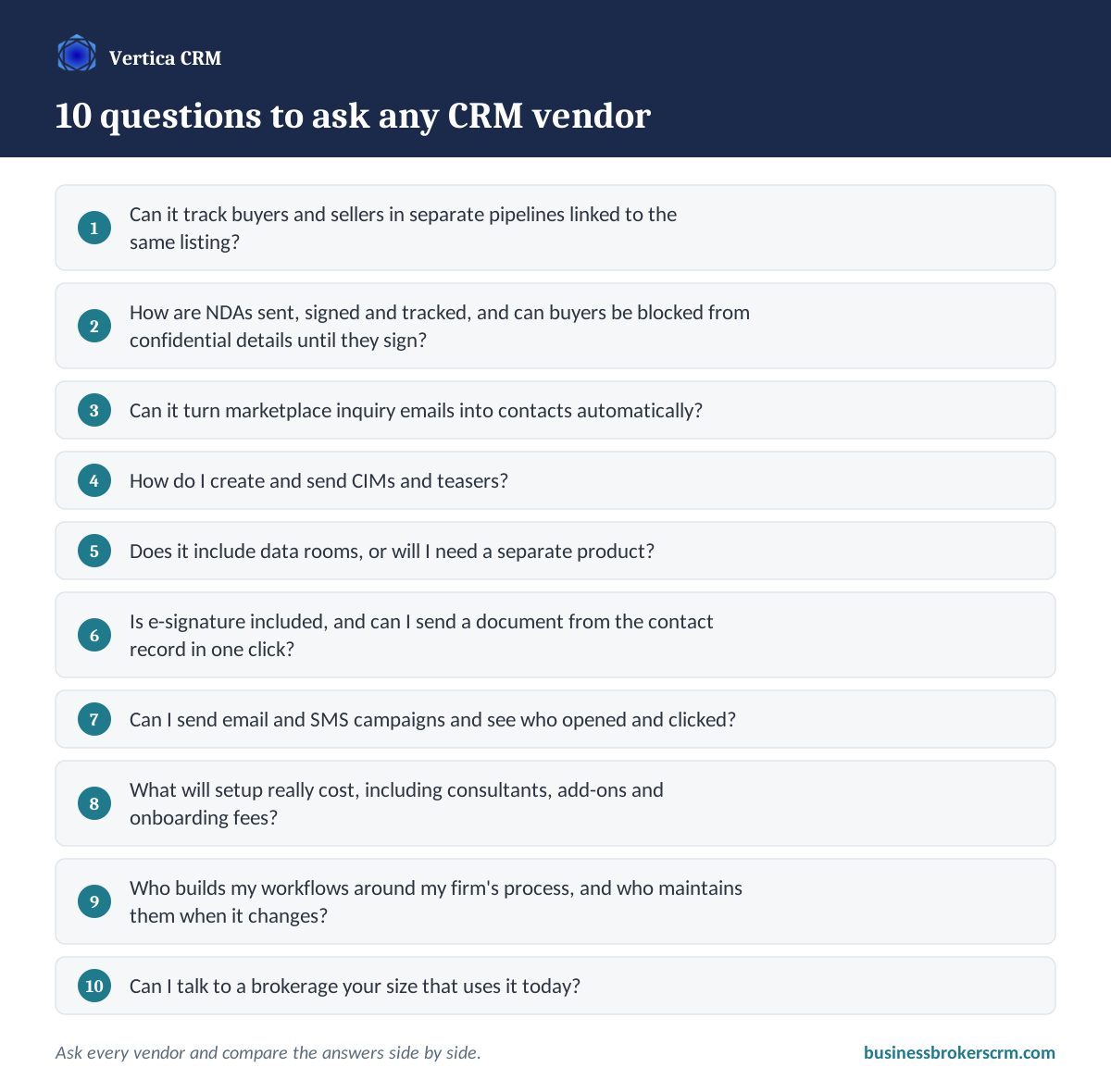
Whichever CRMs you're considering, ask each vendor these questions and compare the answers side by side:
- Can it track buyers and sellers in separate pipelines linked to the same listing?
- How are NDAs sent, signed and tracked, and can buyers be blocked from confidential details until they sign?
- Can it turn marketplace inquiry emails into contacts automatically?
- How do I create and send CIMs and teasers?
- Does it include data rooms, or will I need a separate product?
- Is e-signature included, and can I send a document from the contact record in one click?
- Can I send email and SMS campaigns and see who opened and clicked?
- What will setup really cost, including consultants, add-ons and onboarding fees?
- Who builds my workflows around my firm's process, and who maintains them when it changes?
- Can I talk to a brokerage your size that uses it today?
What it adds up to
Any CRM can store contacts. The question for a business broker is whether the system understands confidential listings, two-sided deals and long seller timelines, or whether you'll spend months teaching it. Choose the one that fits how you actually work, and compare the total cost, not just the subscription. (For what a good CRM does for your reputation with clients, see the real value of a business broker CRM.)
See it on your pipeline
I'll walk you through Vertica CRM using a pipeline that looks like yours, and answer the 10 questions above for your firm. No canned script.
Schedule a Demo Bring the CRM you're comparing us to.Frequently asked questions about CRMs for business brokers
What is the best CRM for business brokers?
It depends on your firm. General CRMs such as HubSpot, Salesforce and Pipedrive are flexible but require brokers to build broker workflows themselves. Out-of-the-box broker CRMs give every firm the same standard setup. Vertica CRM combines a full-featured CRM with broker workflows like NDA gating, listings, CIMs and data rooms built in, and configures the platform around each firm's own process.
Can business brokers use HubSpot or Salesforce?
Yes, many do. Both can be customized for brokerage with custom properties, pipelines and automations, but setup usually takes significant time or a consultant, and features such as data rooms, CIM creation and marketplace lead parsing require other tools.
Is Pipedrive good for business brokers?
Pipedrive is a simple, affordable pipeline tool that suits small teams willing to build their own broker workflows. It doesn't include NDA gating, CIMs or data rooms, and some features such as e-signature and lead routing are in higher plans or add-ons.
What features should a business broker CRM have?
Separate buyer and seller pipelines linked to listings, NDA and buyer registration, marketplace lead parsing, listing marketing and buyer matching, CIM creation, data rooms, built-in e-signatures, email and SMS campaigns, seller nurturing and reporting by lead source.
How much does a CRM for business brokers cost?
Published prices for general CRMs range from about $9 to $350 per user per month as of October 2026, before add-ons, onboarding fees and setup costs. Vertica CRM starts at $99 per user per month, with lower per-user pricing as the team grows, and includes broker features in the subscription. Compare total cost, including setup, add-ons and maintenance, not just the monthly price.
What is the difference between a general CRM and a purpose-built CRM for brokers?
A general CRM is designed for any kind of sales team and has to be configured for brokerage. A purpose-built CRM is designed around how brokers work, with confidential listings, NDAs, two-sided deals and long seller timelines handled out of the box.
Can a business broker CRM be customized to my firm's process?
With general CRMs, you or a consultant configure everything. Out-of-the-box broker CRMs follow a standard industry process with limited room to change it. Vertica CRM is configured by Vertica's own team around each brokerage's methodology, and it can be adapted as your process changes. No two Vertica setups are the same.
How long does onboarding take with Vertica CRM?
Anywhere from a few hours to about a month, depending on the firm's size, structure, historical data, processes and website. Each client gets a dedicated onboarding specialist, project manager and training consultant.
How hard is it to switch CRMs?
It depends on how much data you have and how your new vendor handles onboarding. Ask whether the vendor migrates your data, sets up your pipelines and trains your team, and plan a short period of running both systems side by side.
Joshua Factor
Founder of Vertica CRM and a former business broker. Vertica CRM has been building CRM software exclusively for business brokers and M&A advisors since 2014, shaped by feedback from hundreds of brokerage clients.
Related reading
Your Brokers Aren't Resistant to Technology
Why brokers abandon CRMs that weren't built for them.
The Real Value of a Business Broker CRM
Trust, momentum, and a firm that runs without you.
Where Your Next Listing Comes From
How business brokers find, nurture and win more sellers.
Follow-Ups Lead to Fortunes
How automated follow-up turns more leads into deals.
AI CIM Generator for Business Brokers
Vertica's native True Context AI.
Vertica Sign
A document signing tool built for business brokers.
Book a demo with the founder
Compare Vertica against your current CRM, on a pipeline like yours.